
本地构建
2021/10/28大约 1 分钟
本地构建
本地maven构建
注意
所有的base相关的jar包,都没有上传至maven中央仓库,需要单独配置settings文件
settings文件的设置
请设置本地settings文件进行如下设置
- 设置mirror为阿里云的开放仓库
<mirror>
  <id>alimaven</id>
  <mirrorOf>central</mirrorOf>
  <name>aliyun maven</name>
  <url>http://maven.aliyun.com/nexus/content/groups/public/</url>
</mirror>- 设置编译profile,增加9istock的私有仓库
<profile>
    <id>9istock</id>
    <repositories>
        <repository>
            <id>central</id>
            <name>central Repositories</name>
            <url>http://nexus.9istock.com/repository/maven-public/</url>
                <releases>
                    <enabled>true</enabled>
                </releases>
                <snapshots>
                    <enabled>true</enabled>
                </snapshots>
        </repository>
    </repositories>
</profile>- 设置9istock的仓库为激活状态
<activeProfiles>
    <activeProfile>9istock</activeProfile>
</activeProfiles>使用命令行,进入代码目录(包含最外层pom.xml文件的目录)
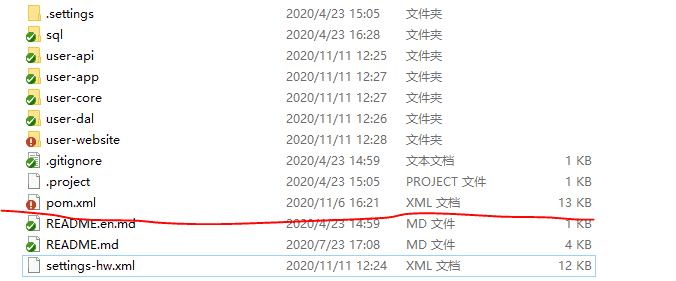
敲入命令mvn clean package

- 最终出现Build Success字样,为编译打包成功,否则请检查上述maven配置
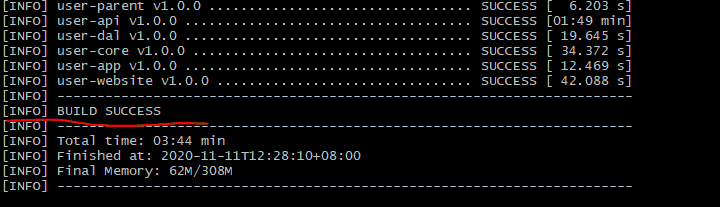
使用远程的settings文件
下载代码以后,在代码目录下面有一个settings-hw.xml的文件,直接使用命令行进入当前目录,敲入命令
mvn -s settings-hw.xml clean package</strong>该编译方法,实际上是不使用本地的settings文件,但是也会使用本地的仓库,默认的仓库位置是D:/repo